Every watt on your desk, framed like an Apple instrument.
SugarWatt is a restrained, native control center for CANDYSIGN CoCan smart chargers. Connect directly over official MCP — zero backend, zero tracking, zero clutter.
Designed for daily craft, not spec-sheet noise.
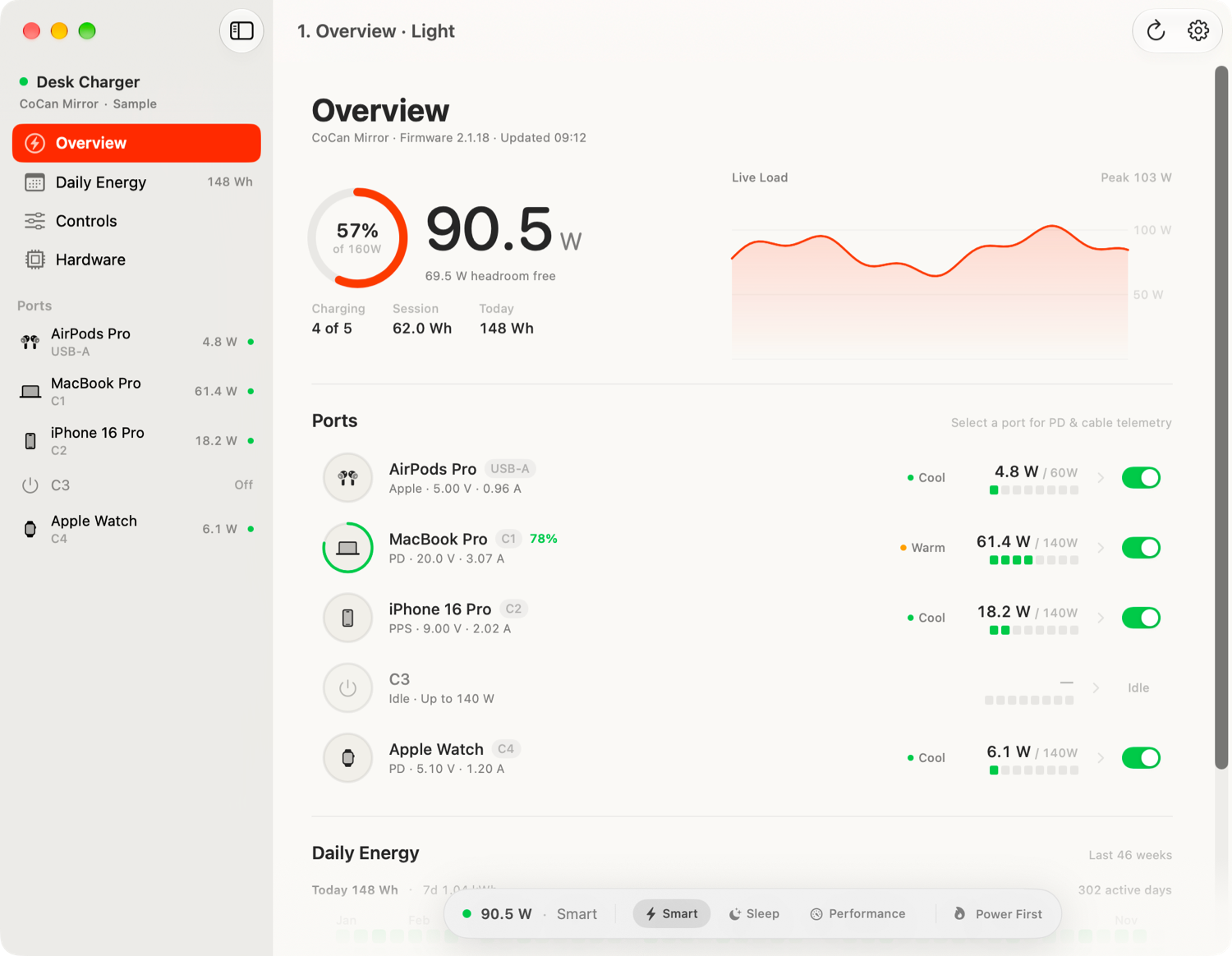
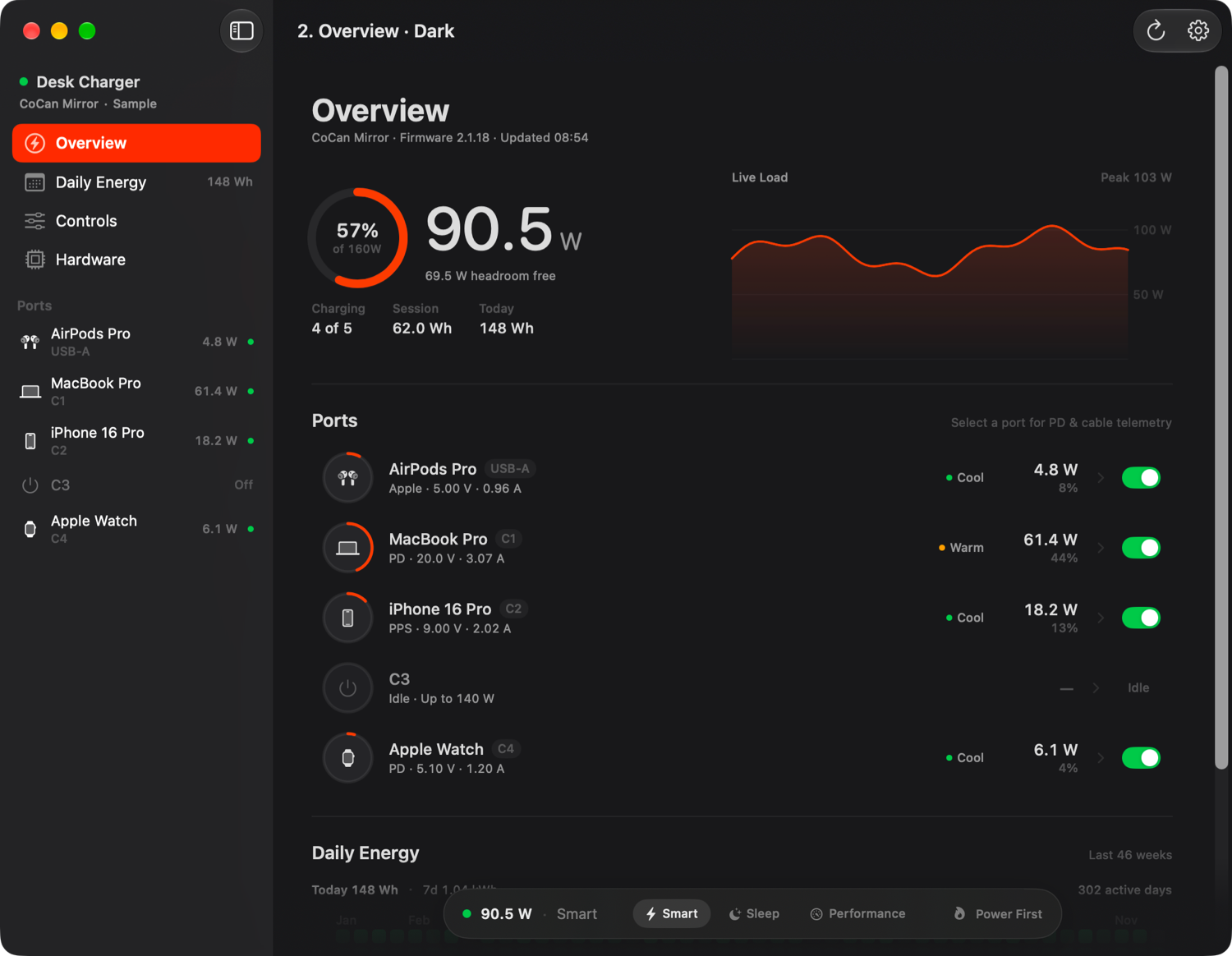
Warm ceramic light canvas, obsidian dark mode, tactile Hardware LED pressure meters, and honest port controls across every Apple screen.
Hardware LED Pressure Meters
8-segment industrial load meters breathe gently while current flows, paired with real USB-PD battery rings when connected devices report charge level.
Daily Energy Analytics
GitHub-style Calendar Heatmap with month & weekday labels, Port Breakdown Donut Chart, By Hour / By Weekday rhythm curve, and real-world Energy Equivalents.
One-Tap Smart MCP Paste
Copy the full prompt text straight from the CANDYSIGN app and tap Paste — SugarWatt extracts the /sse endpoint and device name automatically.
Dock & Menu Bar Freedom
Keep SugarWatt in your macOS Dock, your Menu Bar, or both. Closing the window keeps background polling and daily energy logging running silently.
Modular iOS Widget Board
Long-press any 1×1 or 2×1 tile on iPhone to enter SpringBoard edit mode with jiggle, haptics, and live auto-reflow drag-and-drop.
Private by Architecture
Your personal MCP URL stays strictly in local Keychain / App Group. Optional daily energy sync uses only your private Apple iCloud Key-Value Store.
Rotate your iPhone. Meet StandBy Desk Dashboard.
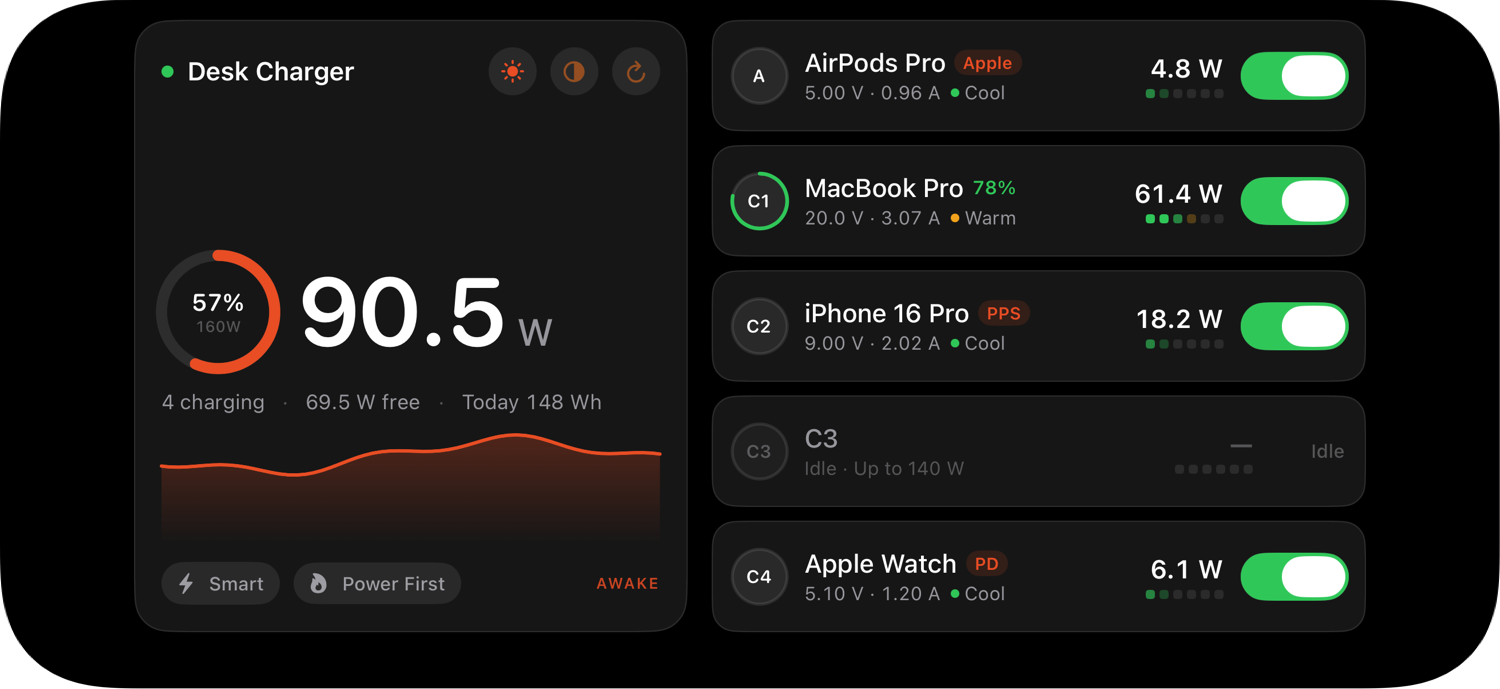
Turn any docked iPhone into an always-on OLED charging monitor. Switch the right panel between all 5 live ports, your Daily Energy Calendar Heatmap, or your custom widget grid.
Live 5-Port Matrix
Big monospaced wattage, circular load gauge, USB-PD battery rings, and breathing LED meters.
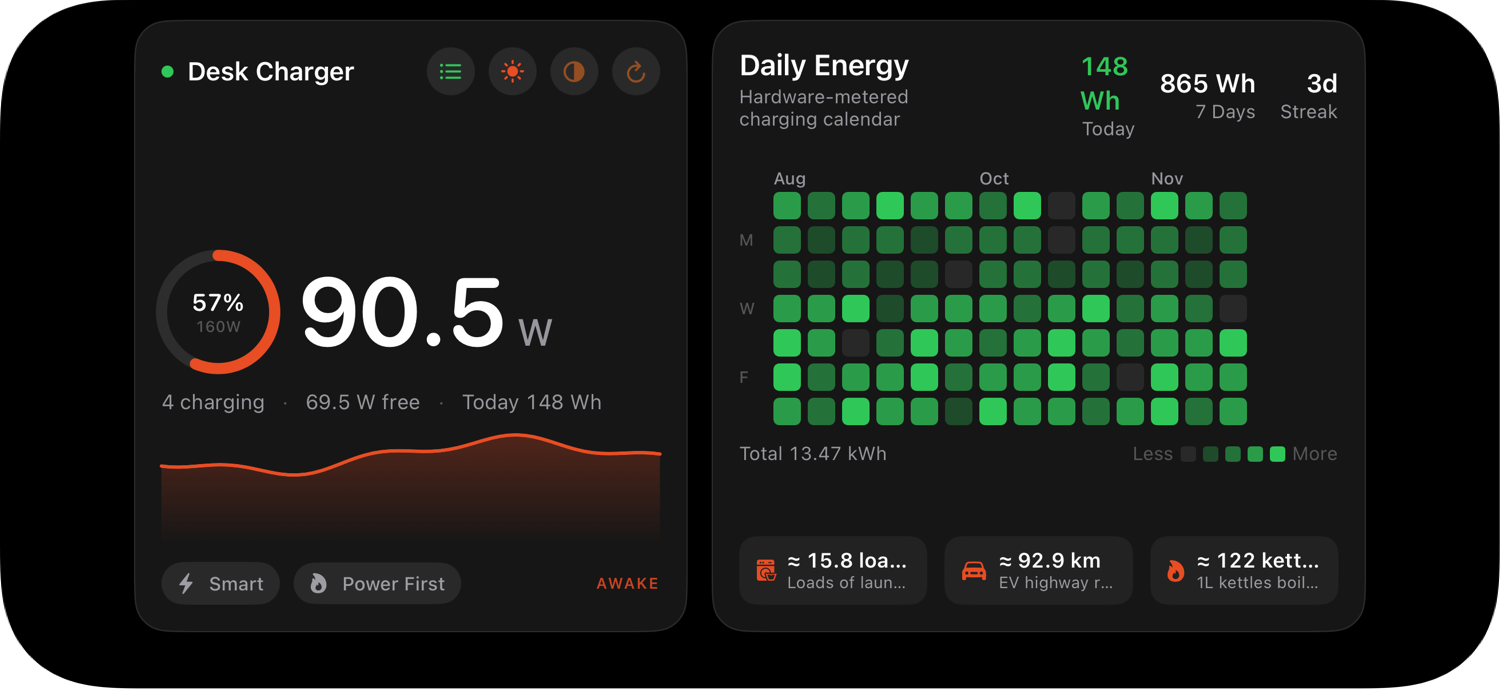
Calendar Heatmap & Equivalents
Keep your charging streak and real-world energy equivalents glowing beside your charger.
Deep energy analytics & customizable iPhone layout.
Understand when you charge most, which port draws the lion's share, and arrange your iPhone dashboard your way.
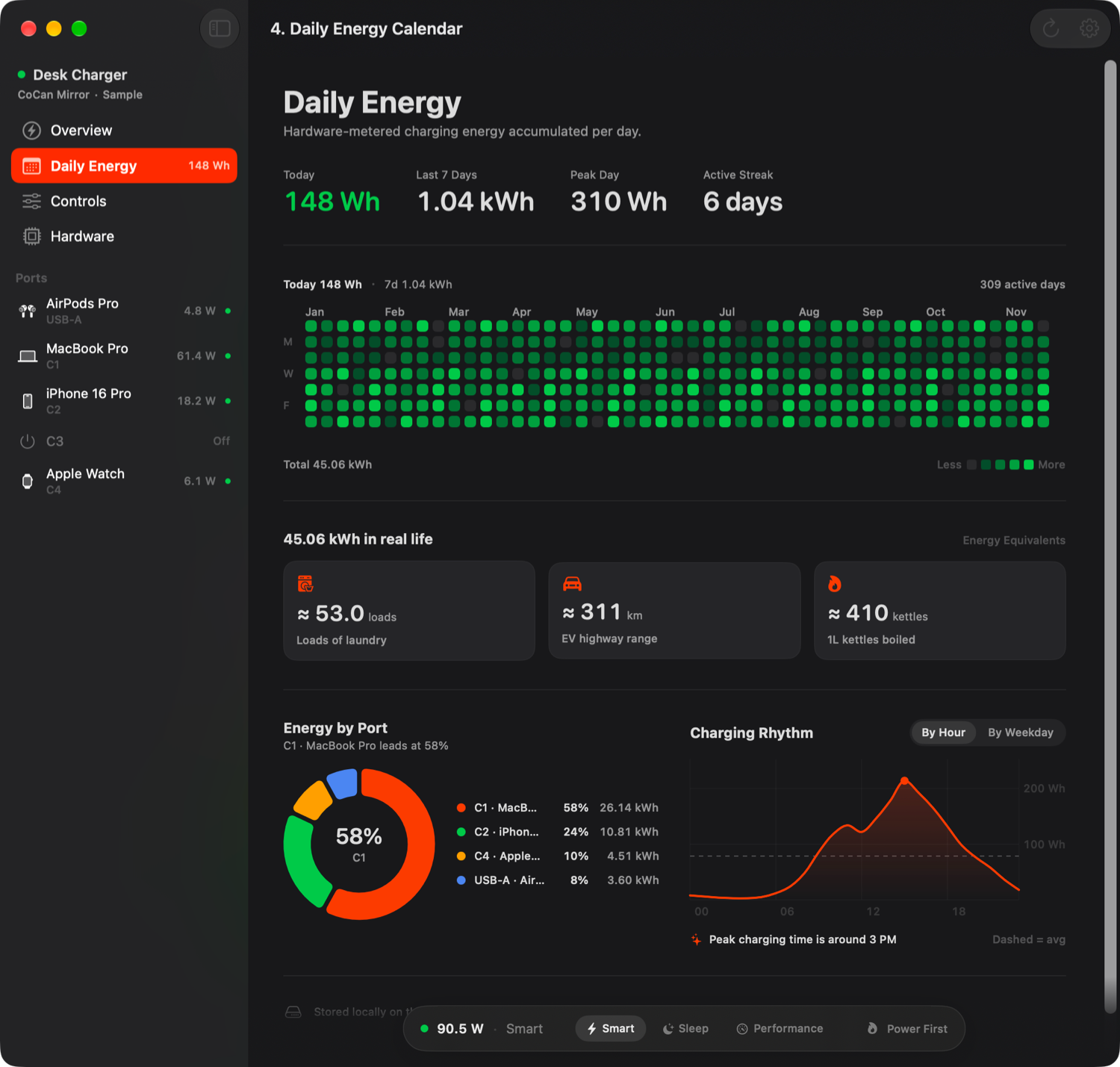
Daily Energy on macOS
Calendar Heatmap, real-world Energy Equivalents, Port Breakdown Donut, and By Hour / By Weekday Charging Rhythm.
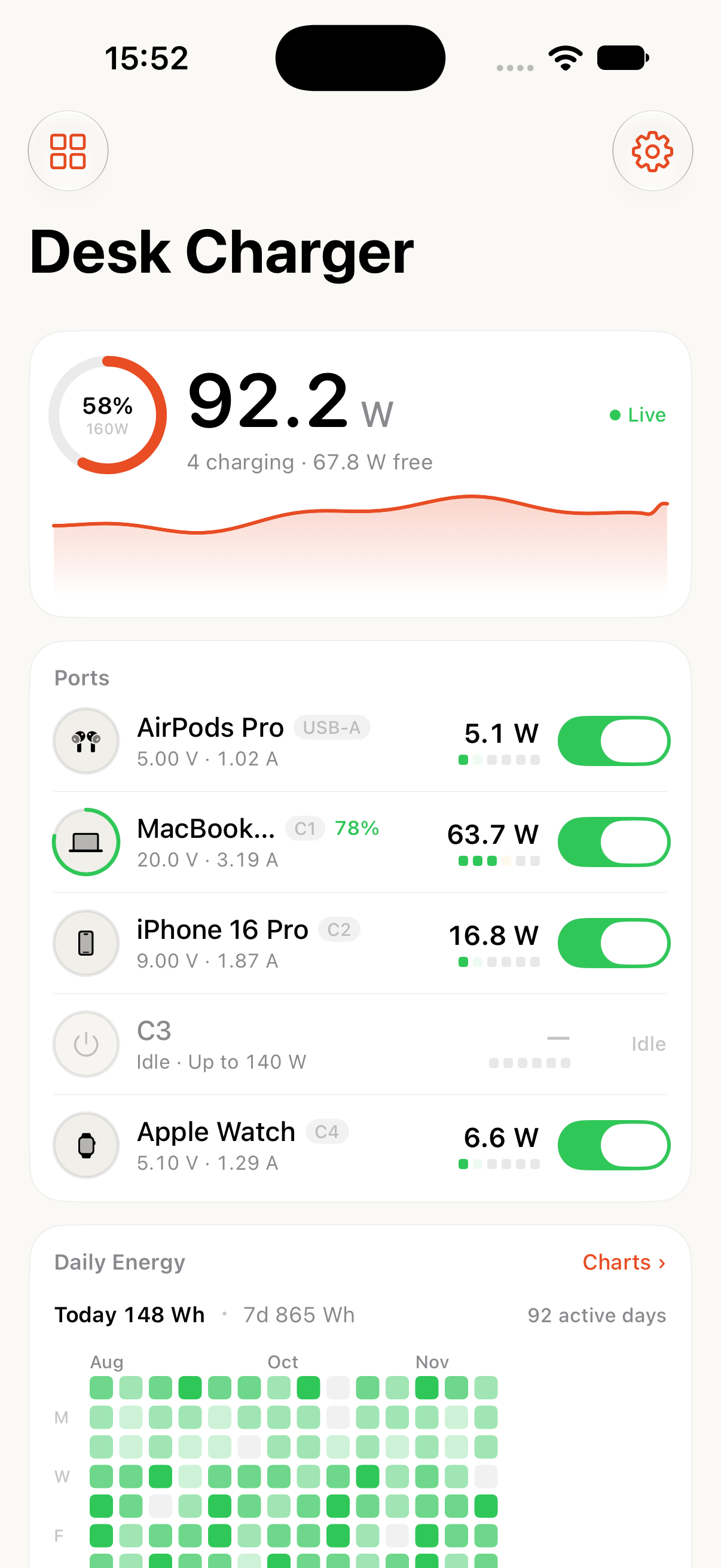
iPhone Portrait · Live load ring & LED meters
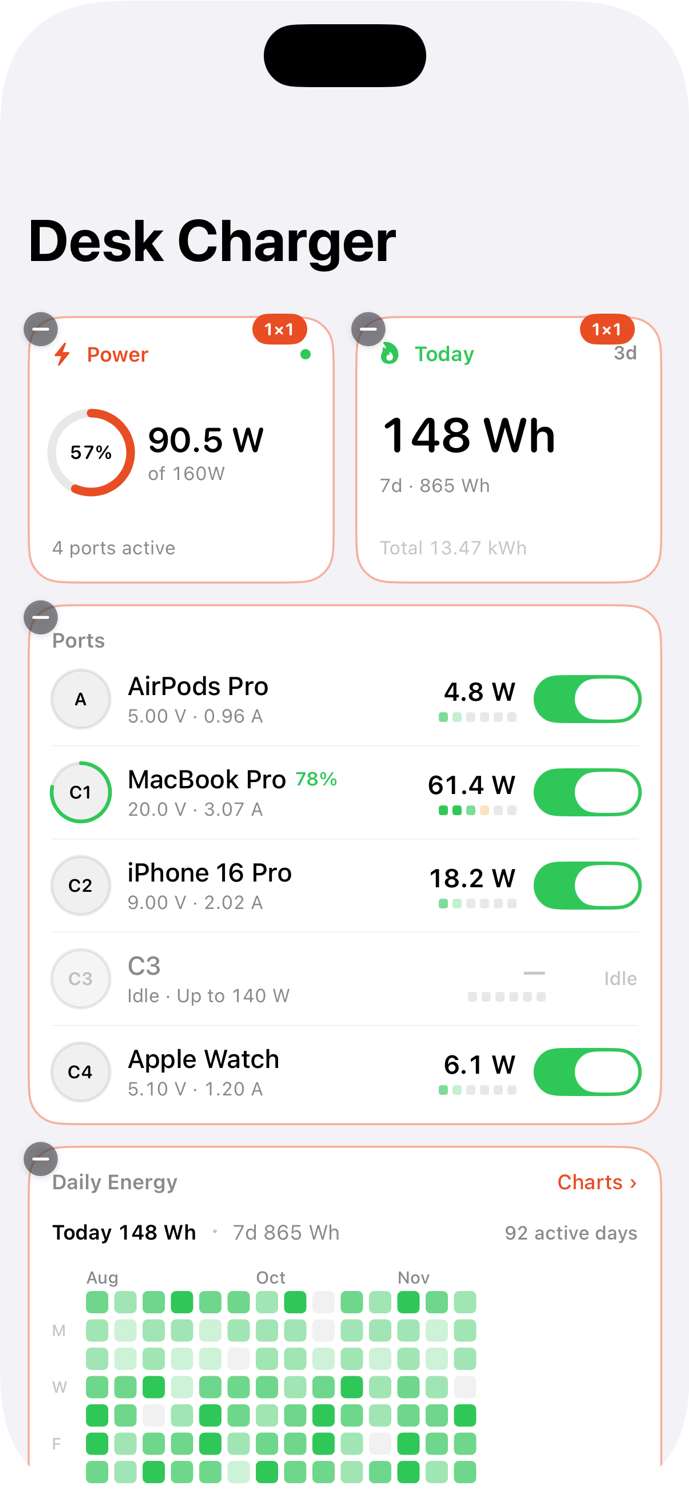
Modular 1×1 & 2×1 Widget Board · SpringBoard edit mode